v3.8 Official Production Release ยท Windows 64-bit Core 100% Offline-First

Run Your Restaurant.
Smarter with yBill AI.

A smarter way to manage restaurant billing, orders, tables, kitchen operations, payments and business analytics โ€” all in one system.

โšก
< 12ms Routing Instant KOT to kitchen
๐Ÿ›ก๏ธ
100% Offline Autonomy Local SQLite & zero cloud lag
๐Ÿ–ฅ๏ธ
1360ร—768 to 4K Ready Optimized for all Windows displays
๐Ÿ’ณ
Multi-Tender & UPI Cash, QR & Razorpay verified
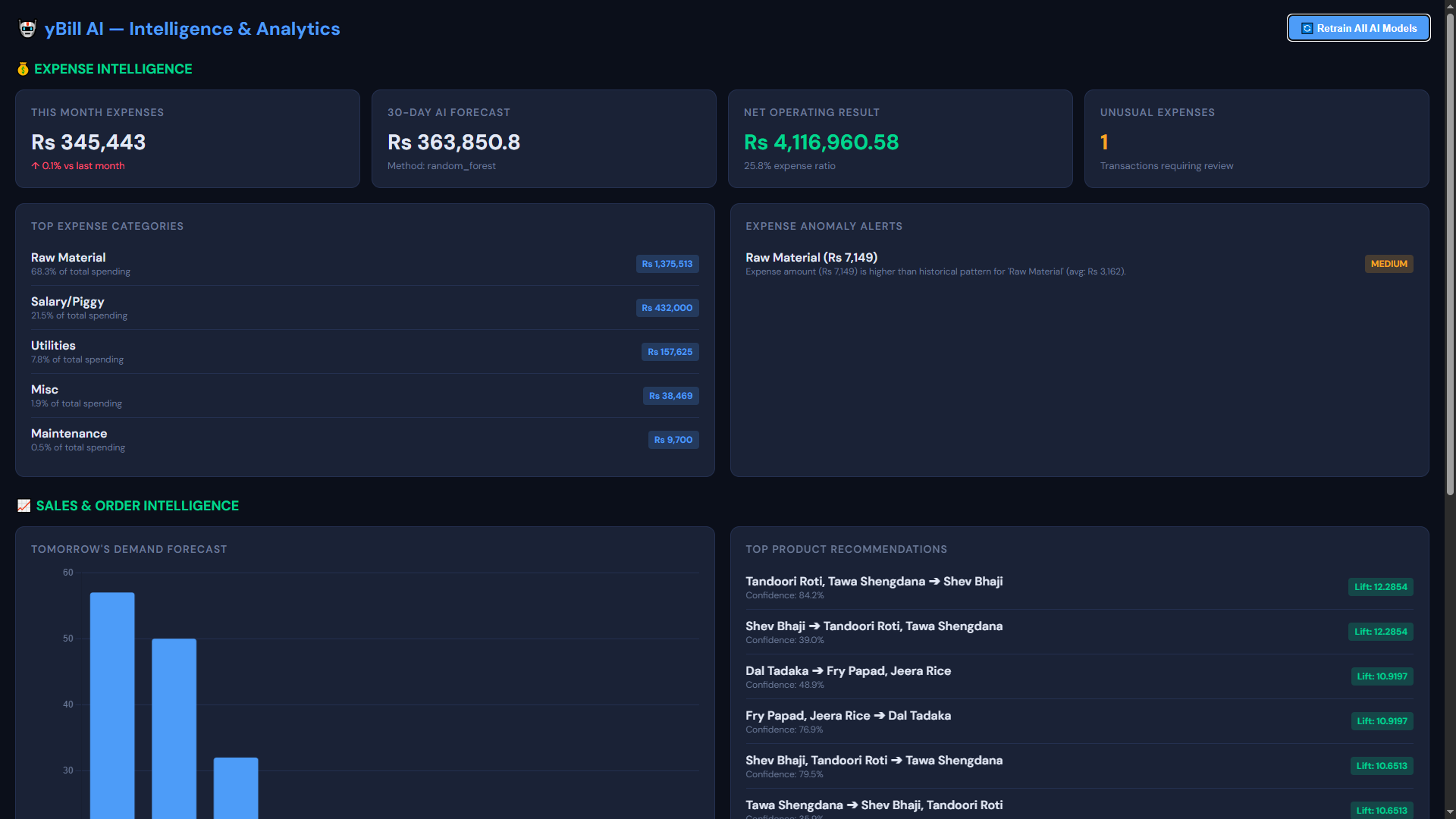
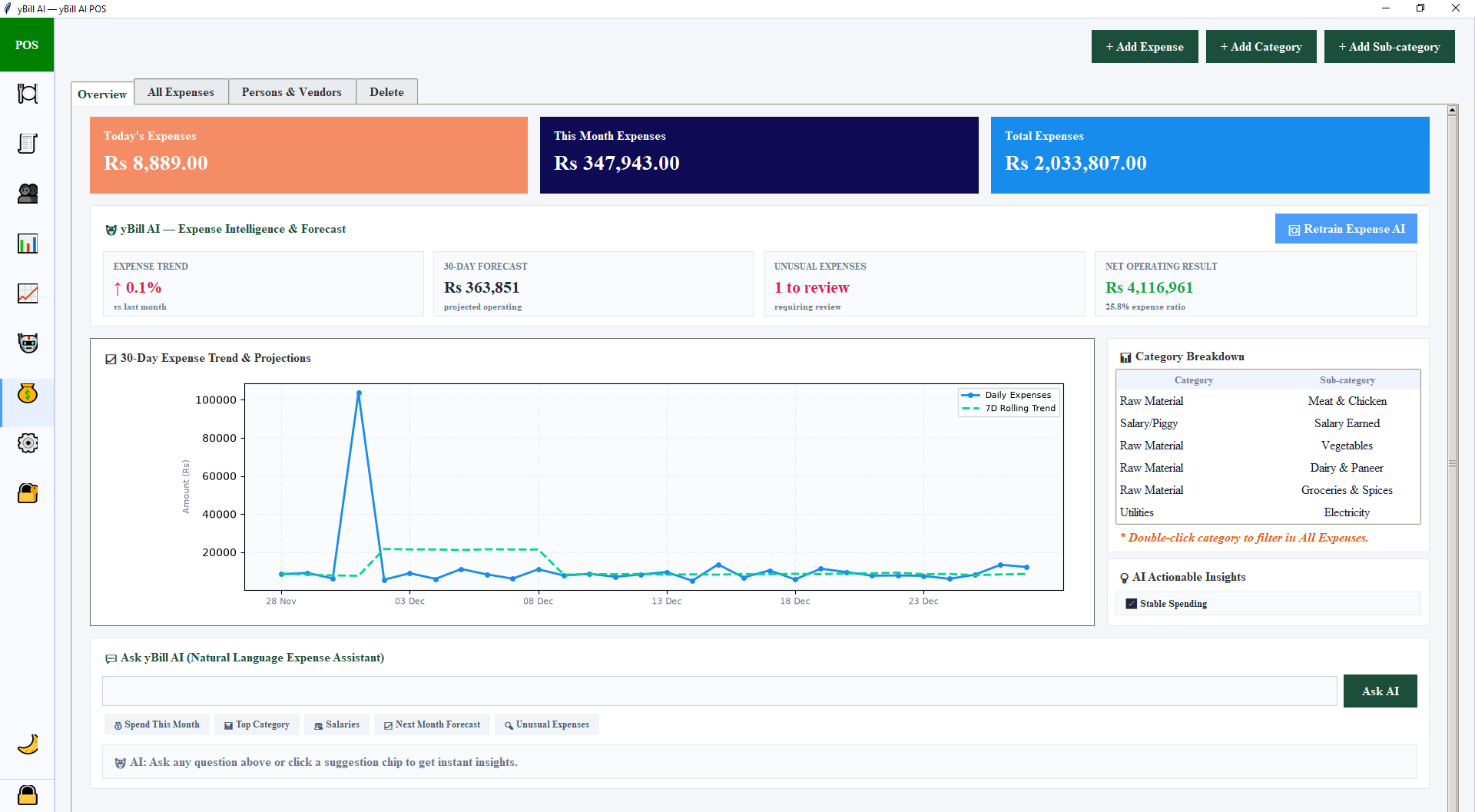
๐Ÿ”’ yBill AI v3.8 โ€” Intelligence & Analytics Dashboard [Master Terminal]
ONLINE & LAN 127.0.0.1:5050
Actual unedited screenshot captured from running yBill AI v3.8 system interface
OFFICIAL CHANGELOG

What's New in yBill AI v3.8

Engineered from scratch to solve critical operational bottlenecks. Every enhancement is built directly into the native Windows application with zero performance penalty.

๐Ÿ–ฅ๏ธ
Display Tech

1360ร—768 Resolution Optimization

Complete UI refactor engineered specifically for lower-resolution Windows point-of-sale displays and budget laptop hardware. Tables, menus, and bill controls now scale proportionally without clipping.

๐Ÿ‘จโ€๐Ÿณ
Kitchen Ops

Organized KOT Batch System

Intelligent grouping of kitchen orders into sequenced batches. Reduces line cook clutter, prevents duplicate prep tickets, and integrates kitchen theft void detection.

๐Ÿงพ
Billing Engine

Transparent Discount Calculations

Original item unit prices now remain permanently visible while percentage and flat discounts affect only the final line amount, providing 100% price transparency for patrons.

๐Ÿ’ณ
Checkout Control

Selectable Default Payment Method

Cashiers can pre-assign their primary payment mode (Cash, UPI, Card, Split) to reduce settlement taps during peak hour rush, combined with instant QR bill-printing.

๐Ÿ–ผ๏ธ
Media System

Local Photo Menu Assignment

Attach custom dish photos from any local hard drive folder without cloud uploads. Fast SQLite binary/path indexing guarantees instantaneous image loading across floor terminals.

๐Ÿ”’
Security & Audit

Audit Trail & Fraud Detection

Comprehensive administrative logs recording bill revisions, voided dishes, drawer openings, and suspicious activities with cryptographic verification.

CORE CAPABILITIES

Enterprise Modules. Engineered for Hospitality.

Deep architectural breakdown of the 9 specialized pillars that power yBill AI's high-speed operations.

MODULE 01

Intelligent Billing & Settlement

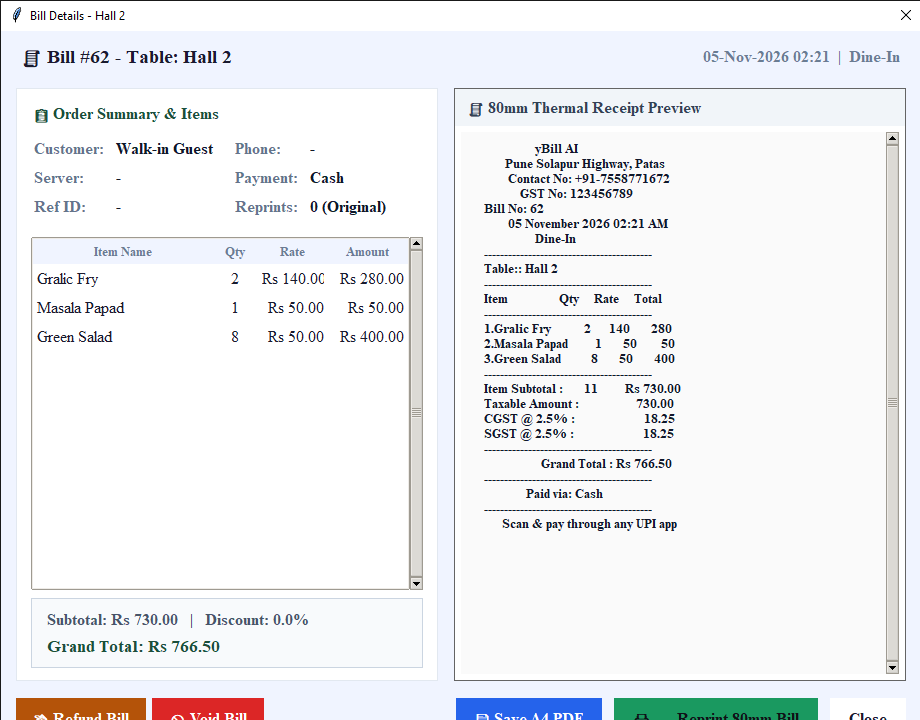
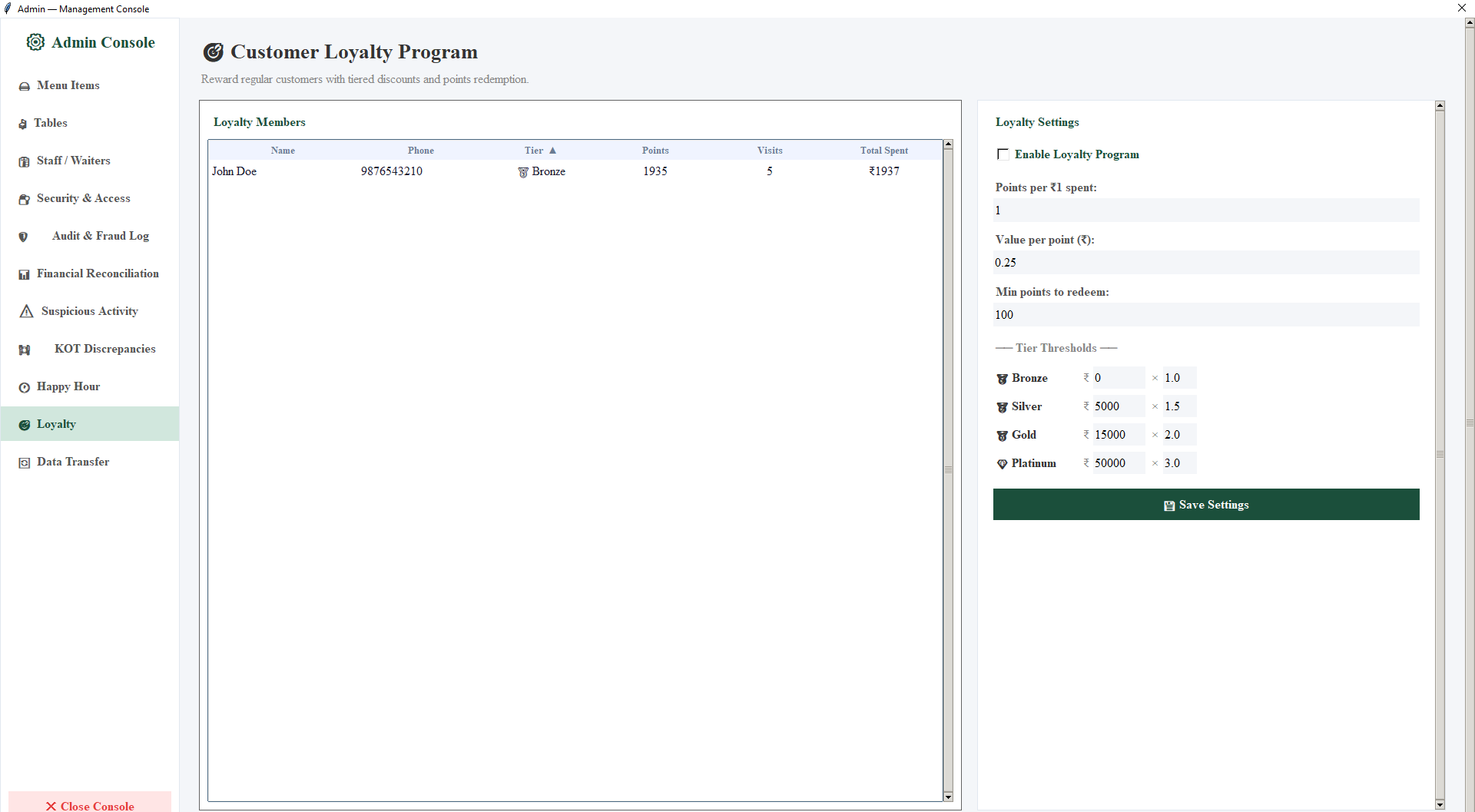
Redesigned cashier checkout built for high-throughput speed, automated tax calculations, and crystal-clear invoice honesty.
  • โœ“
    Accurate Discount Calculations & Price Transparency: Original menu item prices remain clearly visible alongside applied itemized discounts, ensuring patrons see savings while final line amounts update mathematically.
  • โœ“
    Selectable Default Payment Method: Configure cashiers to open directly with UPI, Cash, Card, or Split Tender by default to eliminate redundant clicks on checkout.
  • โœ“
    QR Bill-Printing & Auto-Print Controls: Generate dynamic UPI QR codes directly on thermal receipts and toggle automatic printing upon transaction settlement.
  • โœ“
    Full Billing Layout Customization: Adjust receipt typography, add customized greetings, include GSTIN/FSSAI regulatory licenses, and configure service charges.
ESC/POS Thermal Engine UPI Dynamic QR Split Settlement
MODULE 02

Advanced Analytics & Revenue Intelligence

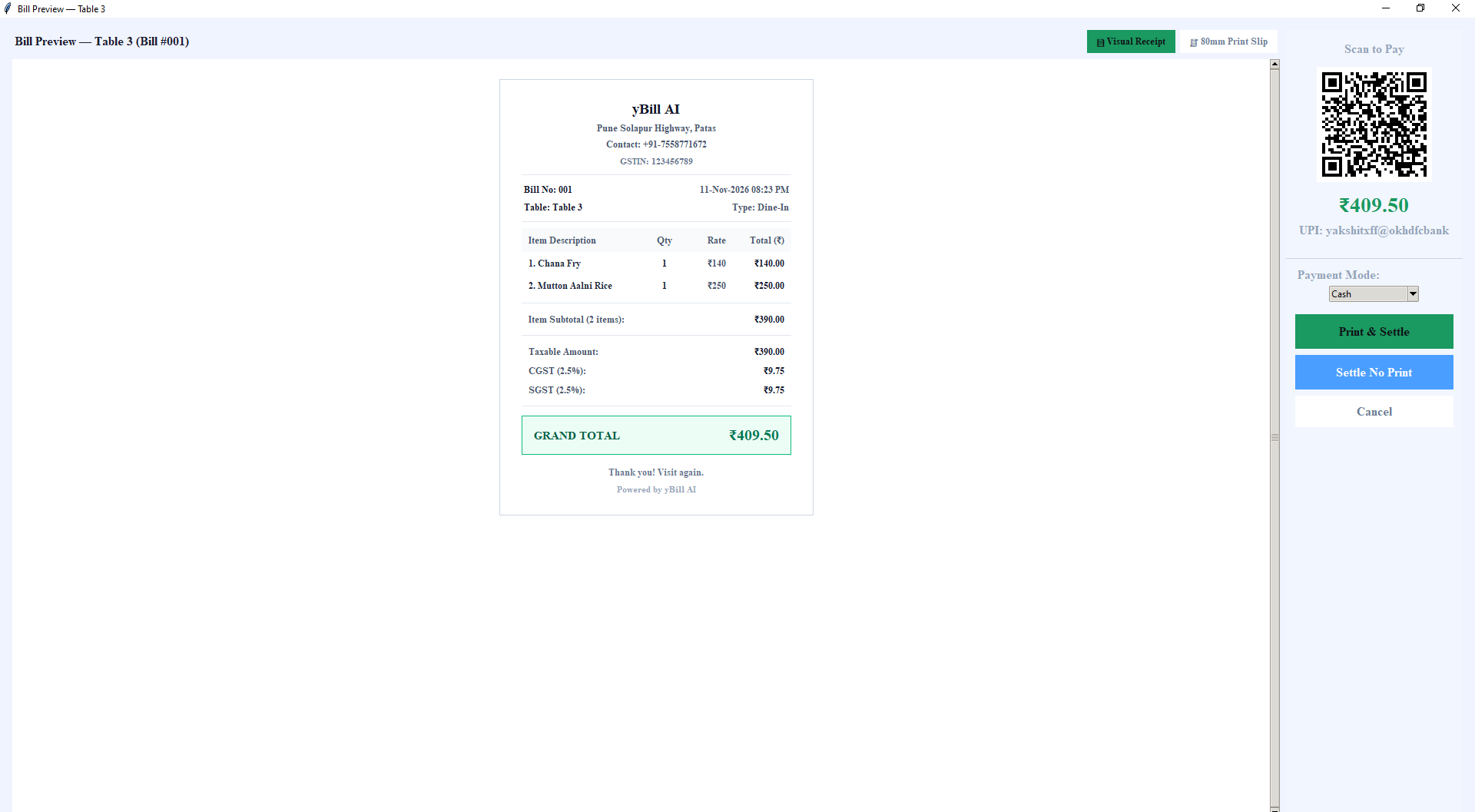
Deep real-time visibility into every rupee entering your establishment, categorizing payment streams with mathematical precision.
  • โœ“
    Daily Cash vs. UPI Separation: Distinct collection tallies showing total daily cash received alongside total daily digital UPI payments to streamline drawer handovers.
  • โœ“
    Interactive Collection Graphs: Dynamic visual trendlines tracking hourly turnover peaks, weekly revenue curves, and expense-to-sales ratios.
  • โœ“
    Item-Wise Sales & Turnover Analytics: Granular tracking revealing highest grossing dishes, fastest-moving appetizers, and lowest-margin menu entries.
  • โœ“
    Total Daily Collection Summaries: One-click executive balance sheets detailing gross sales, net collections, refunds, taxes collected, and discounts conceded.
Live KPI Telemetry Multi-Channel Reconciliation Automated Drawer Balancing
MODULE 03

Professional Sales Reports

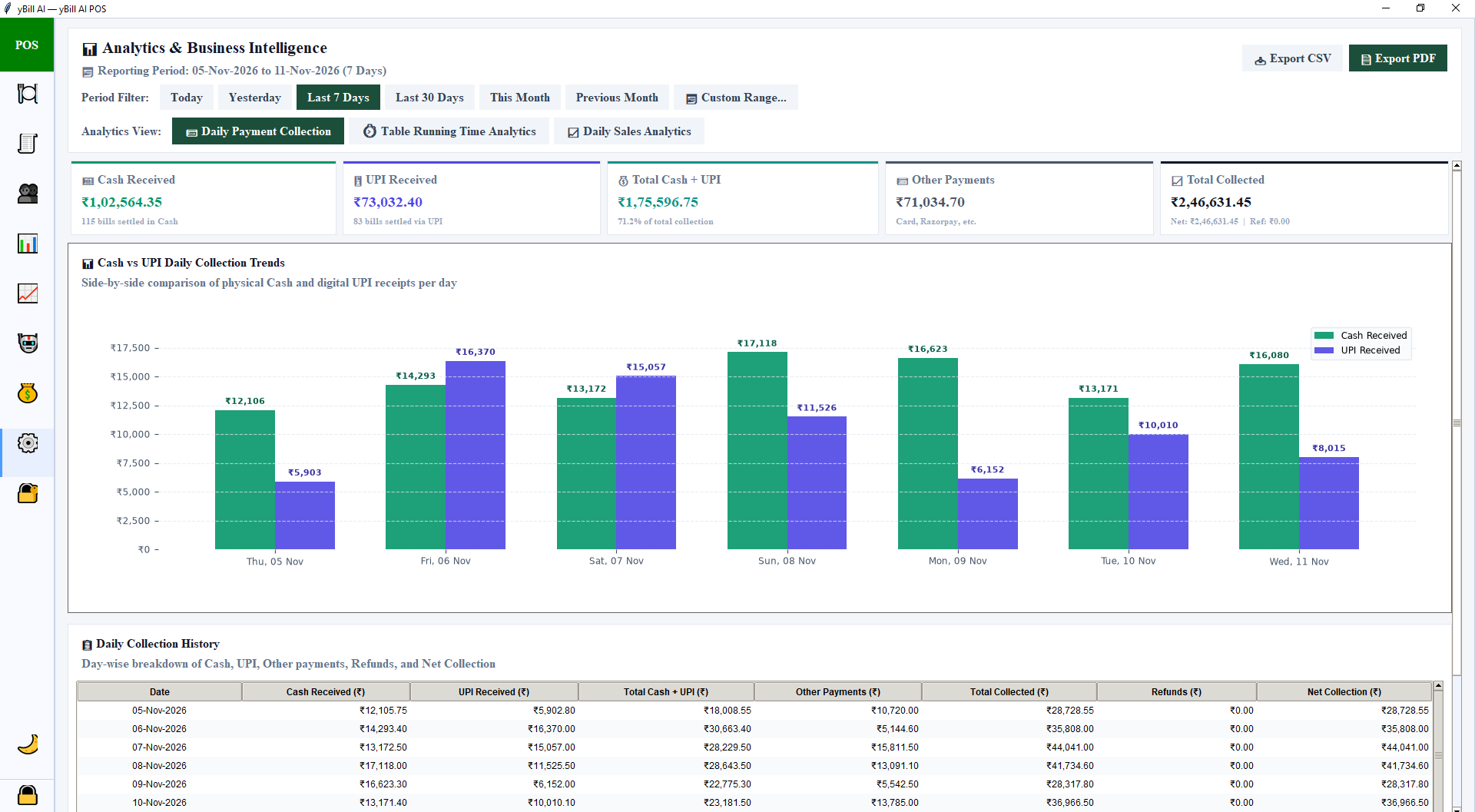
Complete fiscal documentation engineered for auditors, chartered accountants, and restaurant proprietors.
  • โœ“
    Quantity Sold per Menu Item: Inspect exact plate counts served across any selected timeframe to monitor kitchen production and inventory depletion.
  • โœ“
    Item-Wise Collected Amounts: Break down exact revenue yield generated by each dish after factoring individual happy hours and discounts.
  • โœ“
    A4 Comprehensive Report Printing: Export and print standard full-page A4 audit spreadsheets formatted cleanly for fiscal year archives and partner reviews.
  • โœ“
    80mm Thermal Receipt Reports: Print instant end-of-shift register rolls directly on your counter receipt printer for rapid shift reconciliations.
A4 Landscape / Portrait 80mm Thermal Summary Date-Range Filtering
MODULE 04

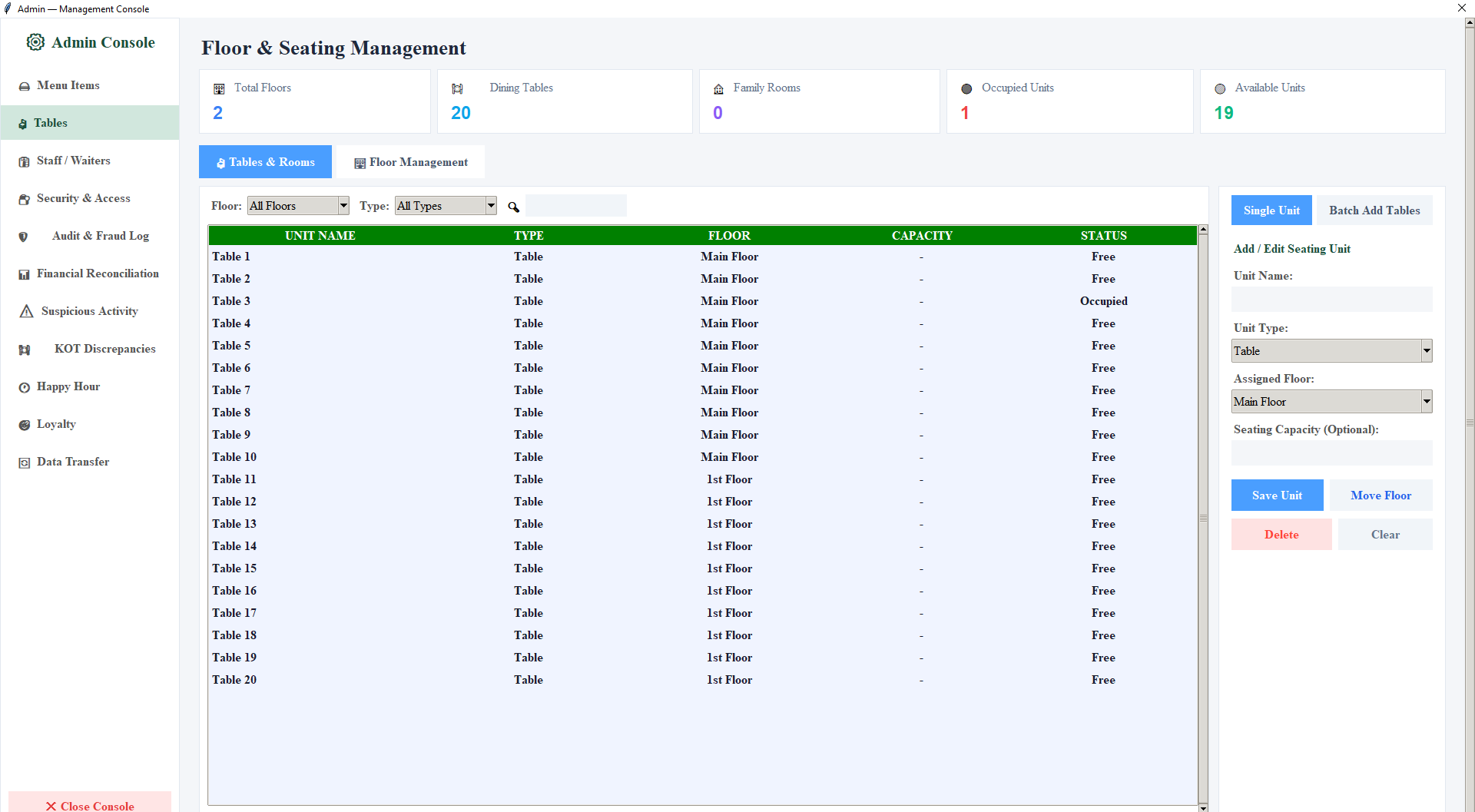
Floor & Table Management

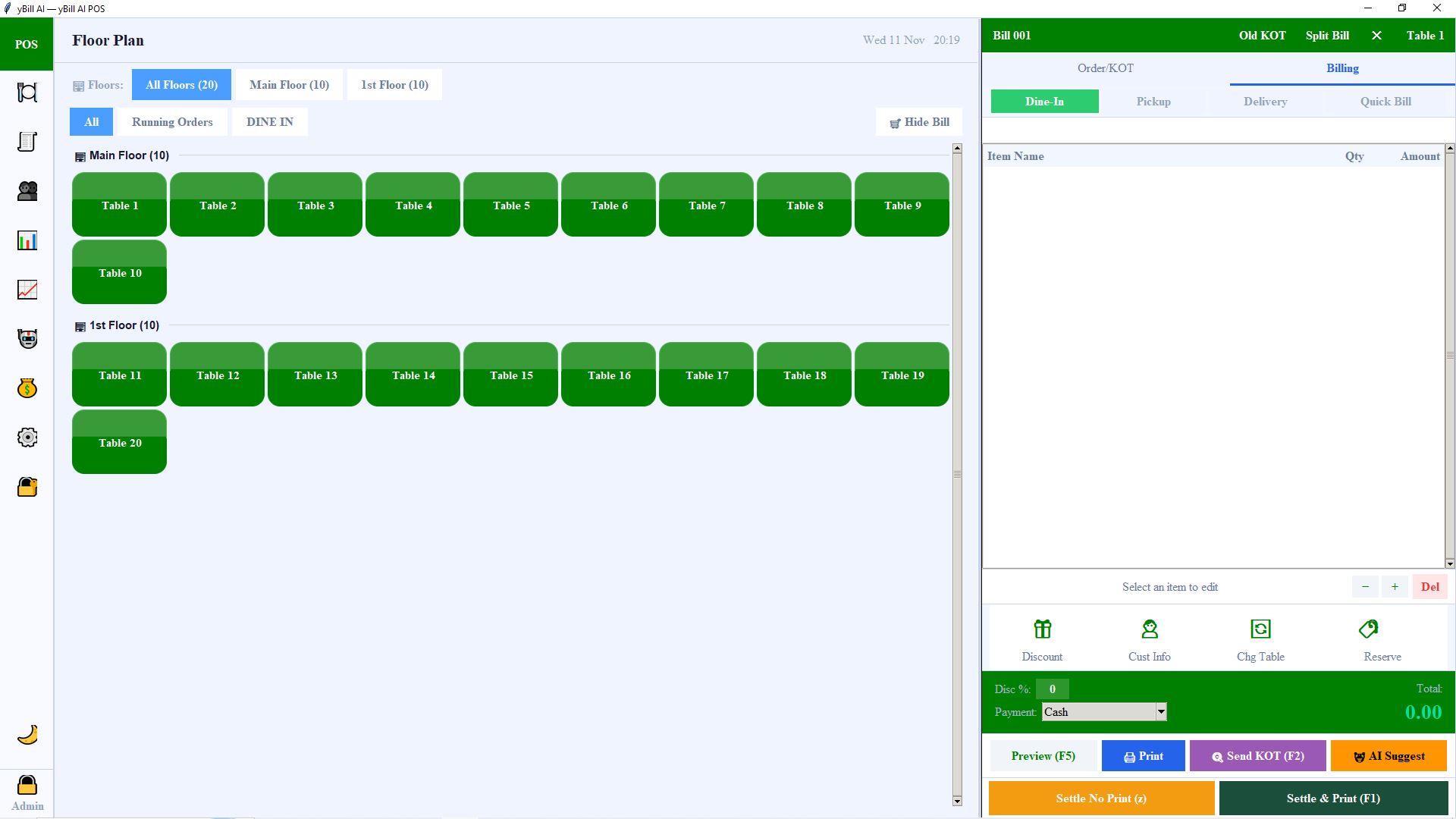
Visual seating orchestrator that mirrors your restaurant layout across all floors and zones with real-time status cues.
  • โœ“
    Multi-Floor Creation & Dynamic Zones: Configure distinct dining environments โ€” Ground Floor, AC Banquet, Outdoor Garden, or Rooftop Lounge โ€” with tailored seating grids.
  • โœ“
    Synchronized Table Status: Real-time color-coded badges indicating Vacant, Running Order, Billed, or Reserved status across all LAN terminals.
  • โœ“
    Live Table Running Timer: Active clock counter on occupied tables indicating elapsed dining time to optimize table turnover rates and guest attention.
  • โœ“
    Instant Table Shifting & Merging: Move active orders from one table to another or merge adjacent tables seamlessly without resetting punched KOTs.
Multi-Floor Canvas Live Seating Timers Zero-Latency Sync
MODULE 05

Kitchen Order Management & Batch KOTs

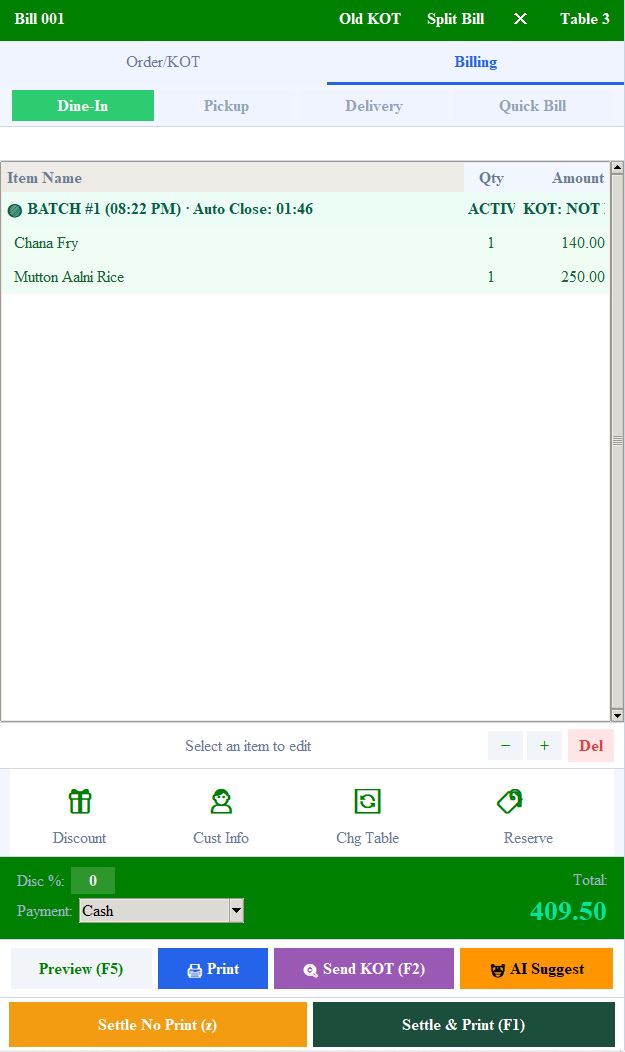
Organize order traffic between waitstaff and chefs with sub-millisecond local network dispatch and anti-theft controls.
  • โœ“
    New KOT Batch System: Groups menu items into synchronized preparation batches, preventing kitchen printer ticket flooding and organizing cooking sequences.
  • โœ“
    Organized Kitchen Workflow: Clear status tracking through Pending, Cooking, Ready, and Dispatched phases on thermal tickets or paperless KDS screens.
  • โœ“
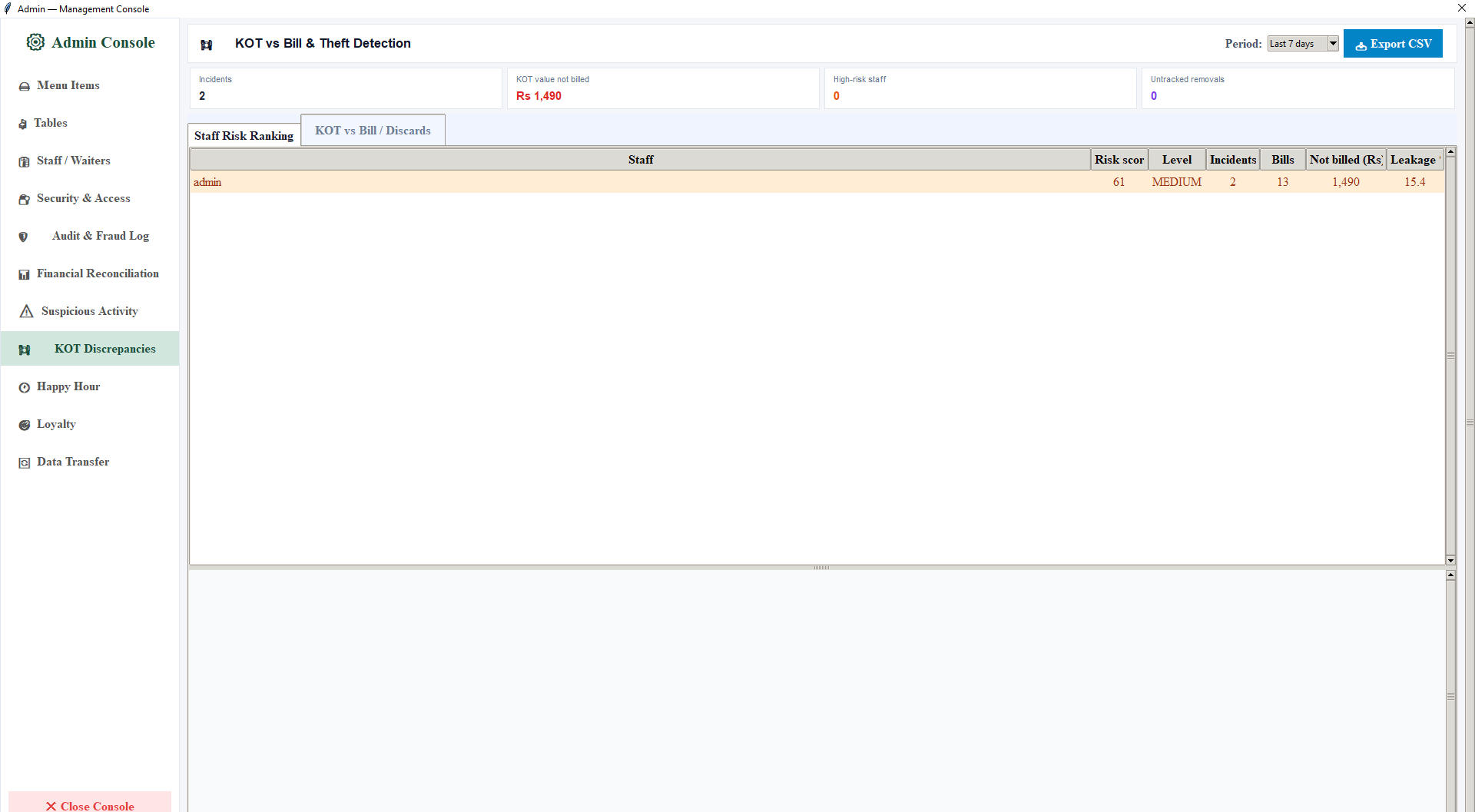
    Anti-Theft Void & Cancellation Detection: Any canceled dish or voided KOT triggers an immutable audit entry and alert notification, eliminating unauthorized free-meal fraud.
  • โœ“
    Preparation Notes & Modifiers: Waiters can attach special spice levels, allergy notes, or serving preferences directly to individual dish lines.
Batch Ticket Dispatch KOT Anti-Theft Guard Local LAN Push
MODULE 06

Custom Menu Management with Local Photos

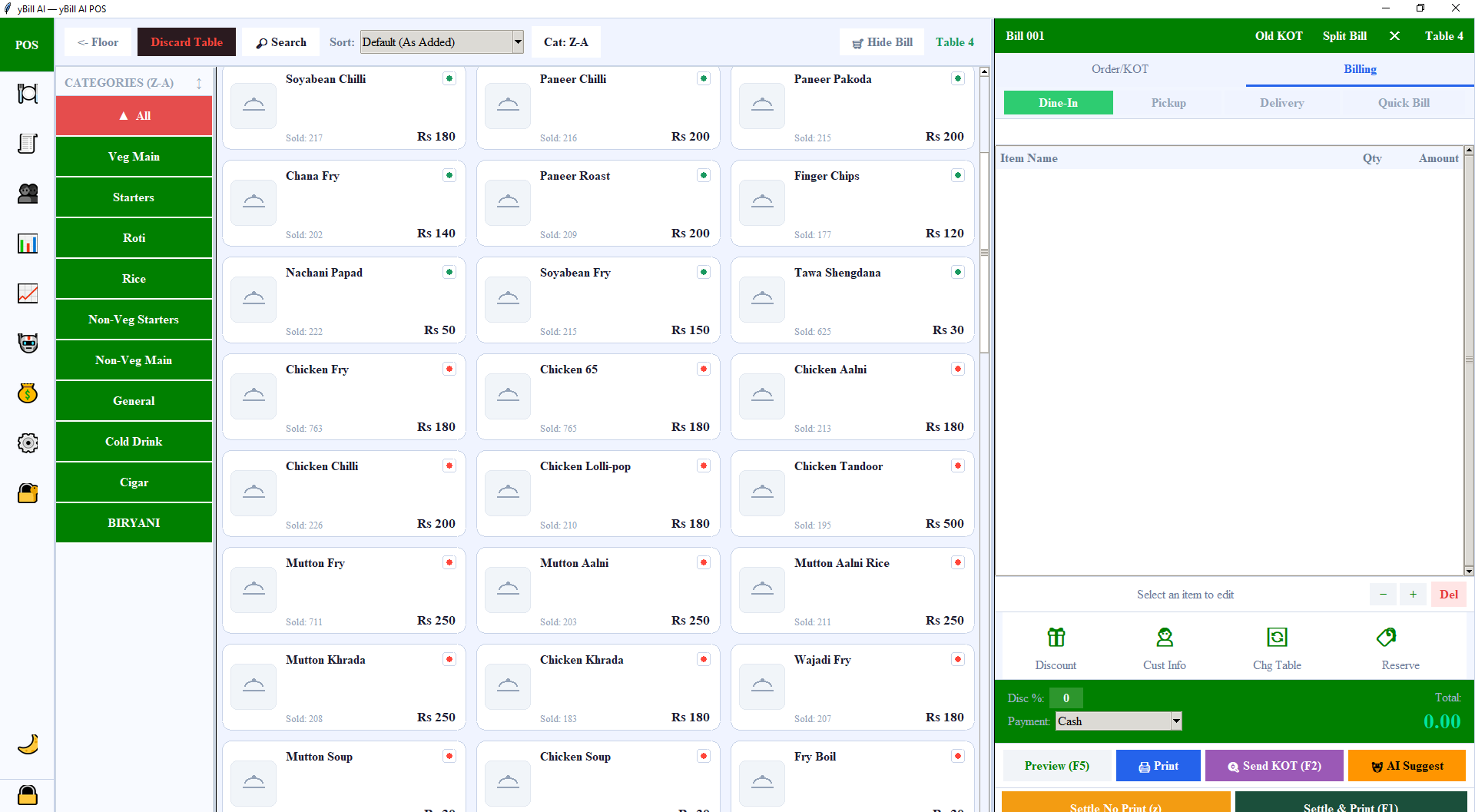
Visual catalog builder empowering managers to customize every menu card with high-resolution imagery and granular attributes.
  • โœ“
    Custom Local Image Selection: Browse and pick dish photography directly from your local computer files. Automatically formatted and indexed in offline SQLite storage.
  • โœ“
    Improved Item Presentation: Showcase appetizing dish thumbnails across the desktop POS grid, mobile waiter pads, and digital customer menus.
  • โœ“
    Updated Administration Controls: Instant toggles for Veg / Non-Veg / Vegan designations, category grouping, tax brackets, and individual discount limits.
  • โœ“
    Dynamic Stock & Best-Seller Sorting: Highlight top-selling signature items automatically at the head of cashier menus for lightning-fast selection.
Offline Photo Indexing Dietary Classification Rapid Price Updates
MODULE 07

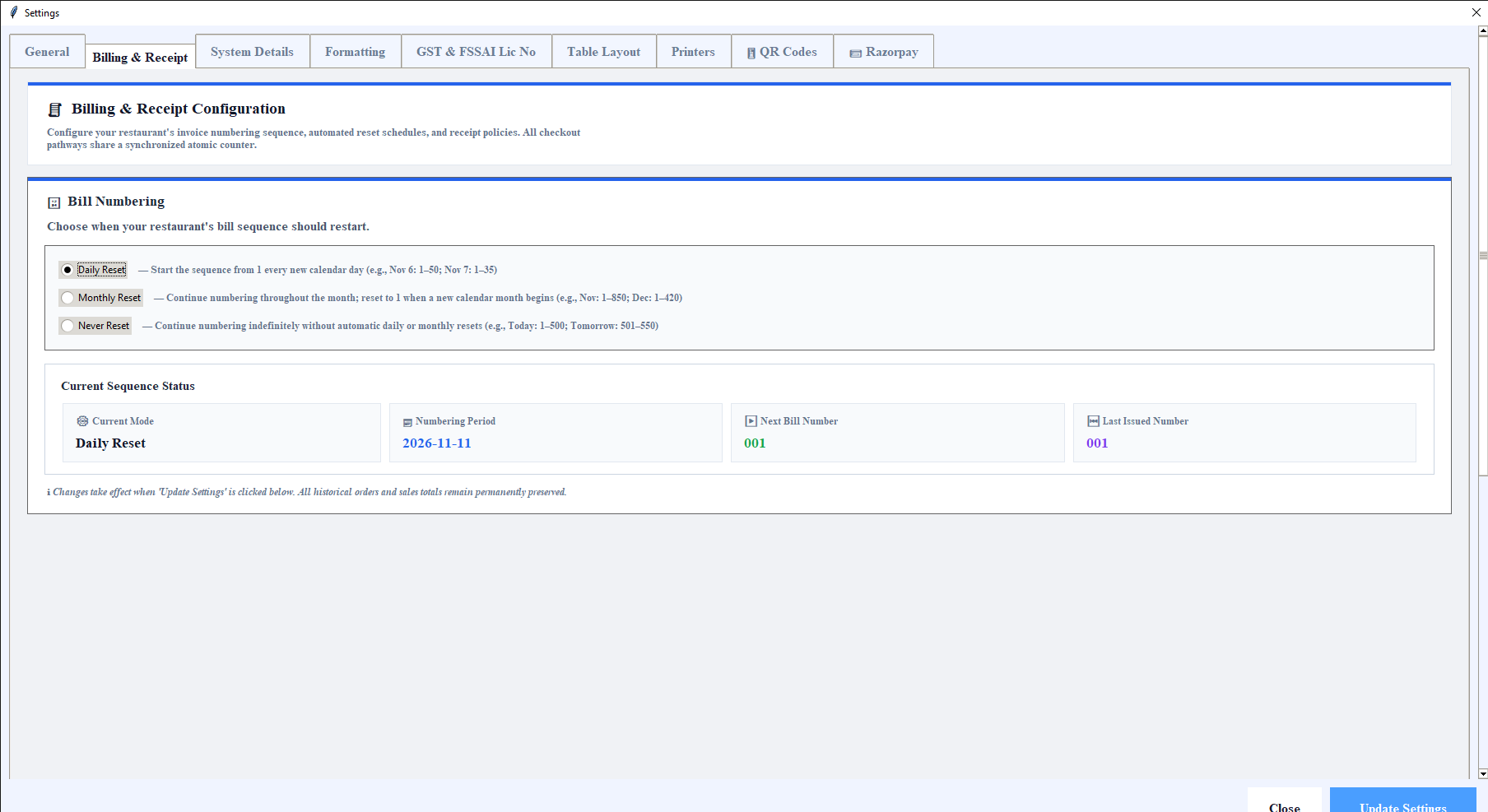
Smart Settings & Billing Customization

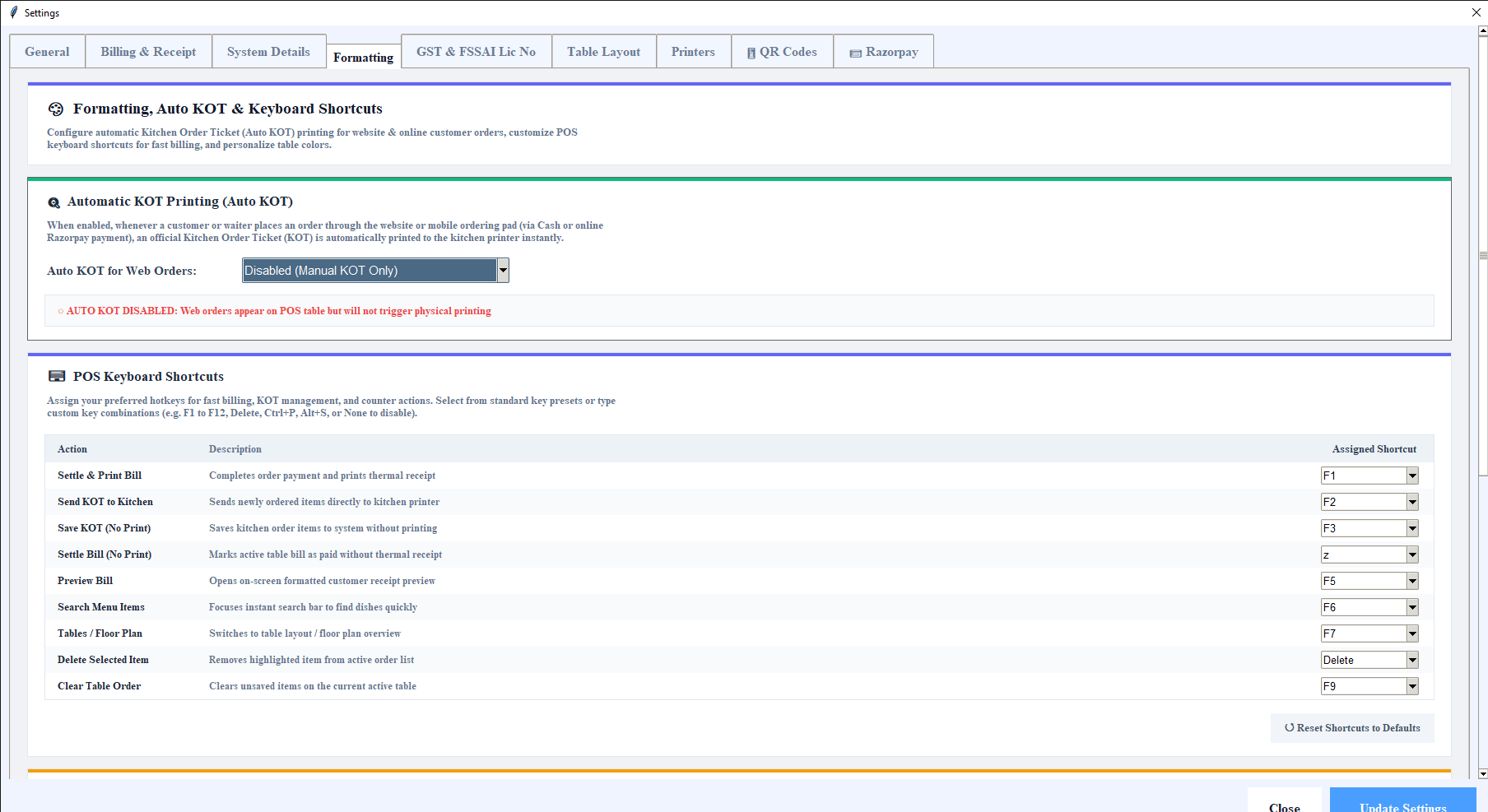
Tailor the software to your restaurant's exact hardware profile, operational cadence, and aesthetic preferences.
  • โœ“
    QR Bill-Printing Toggle: Instantly enable or disable dynamic payment QR codes on customer thermal slips based on your preferred payment workflow.
  • โœ“
    Auto-Print Toggle on Settle: Configure receipts to trigger the thermal auto-cutter automatically the moment payment is confirmed.
  • โœ“
    Default Payment Mode Preference: Set Cash, UPI, or Card as the permanent default checkout tender for your counter station.
  • โœ“
    UI Animation ON / OFF Switch: Disable interface transitions to maximize frame-rates and responsiveness on older POS hardware with minimal GPU power.
Hardware Tuning Low-Spec Mode Printer Cut Controls
MODULE 08

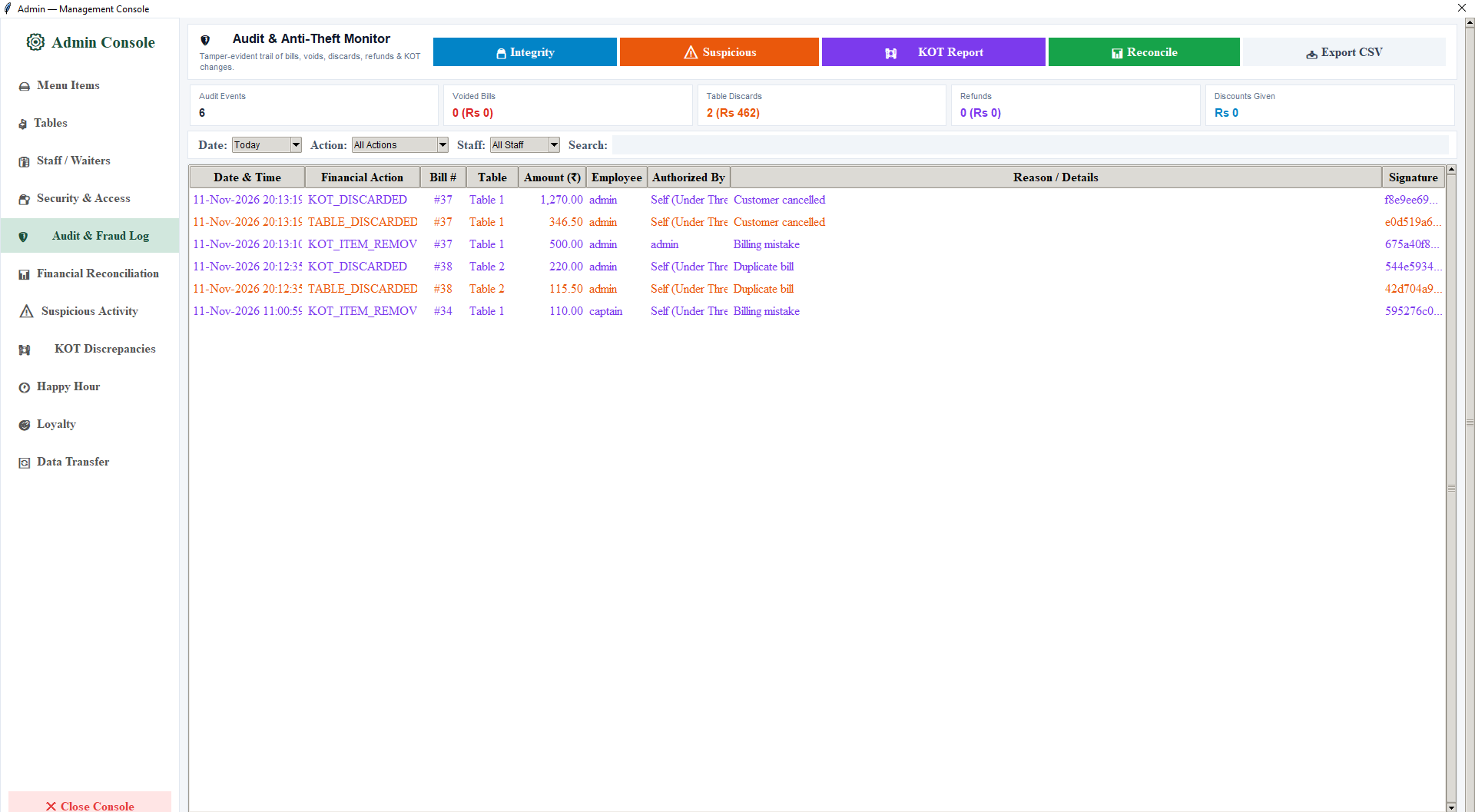
Administration, Audit & Anti-Fraud Security

Cryptographic security logs that give restaurant owners complete peace of mind, eliminating cashier shrinkage and internal leakage.
  • โœ“
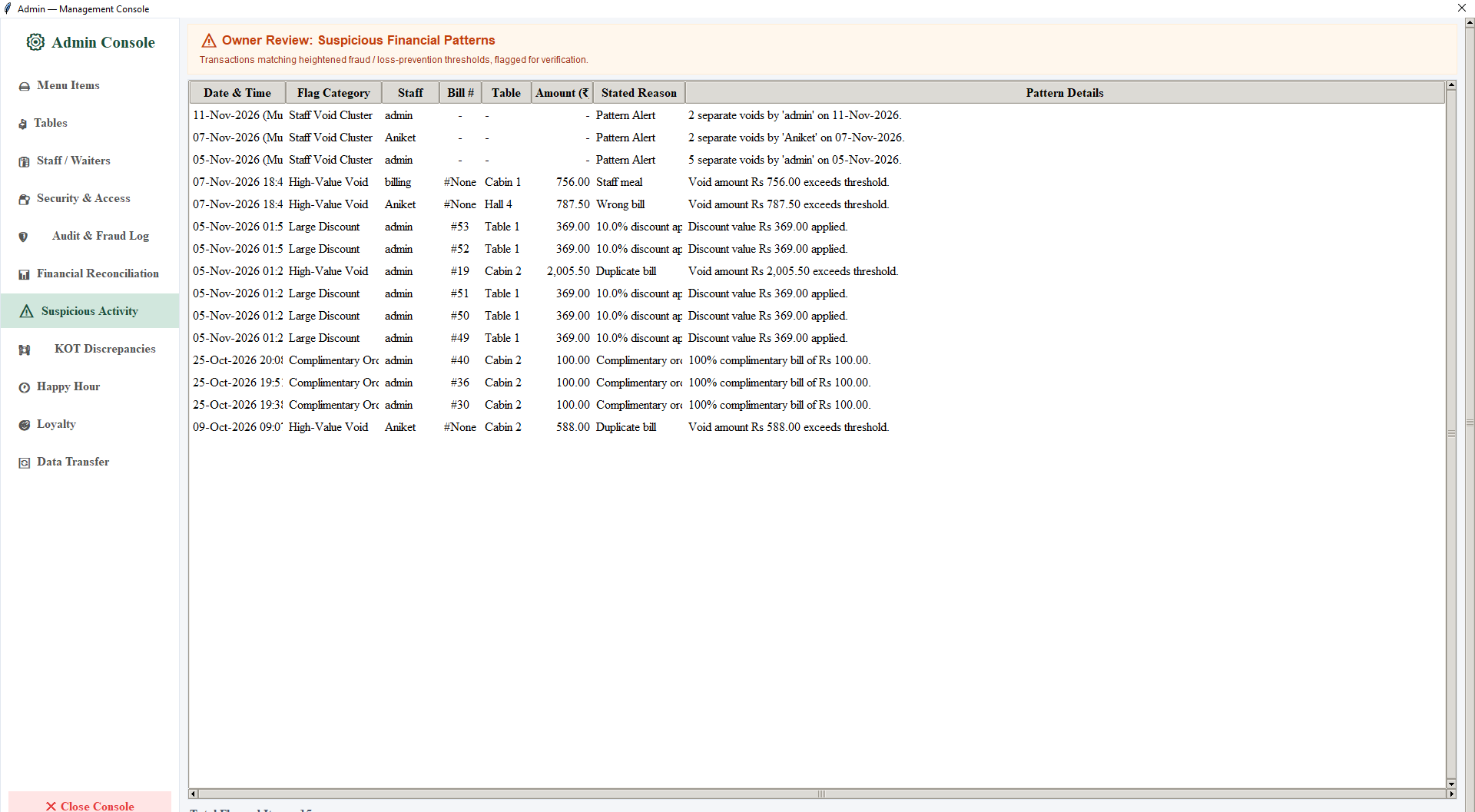
    Cryptographic Audit & Fraud Log: Every transaction modification, cashier discount override, and bill deletion is permanently logged with tamper-evident records.
  • โœ“
    Suspicious Activity Detection: Automated flags alert management to repetitive bill voids, anomalous price alterations, or high-frequency cash drawer triggers.
  • โœ“
    Role-Based Permission Locks: Guard sales reports, discount overrides, and admin settings with supervisor password verification.
  • โœ“
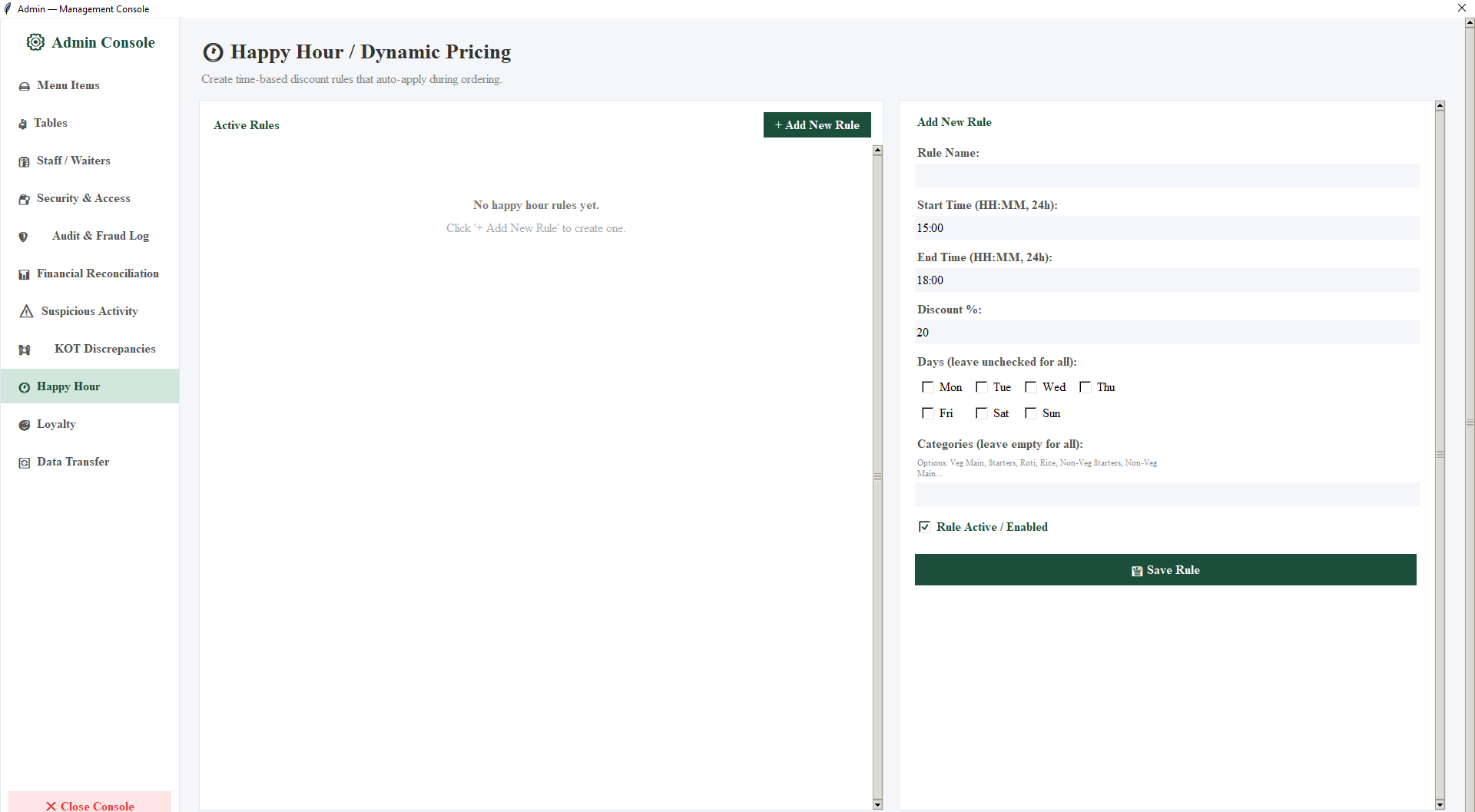
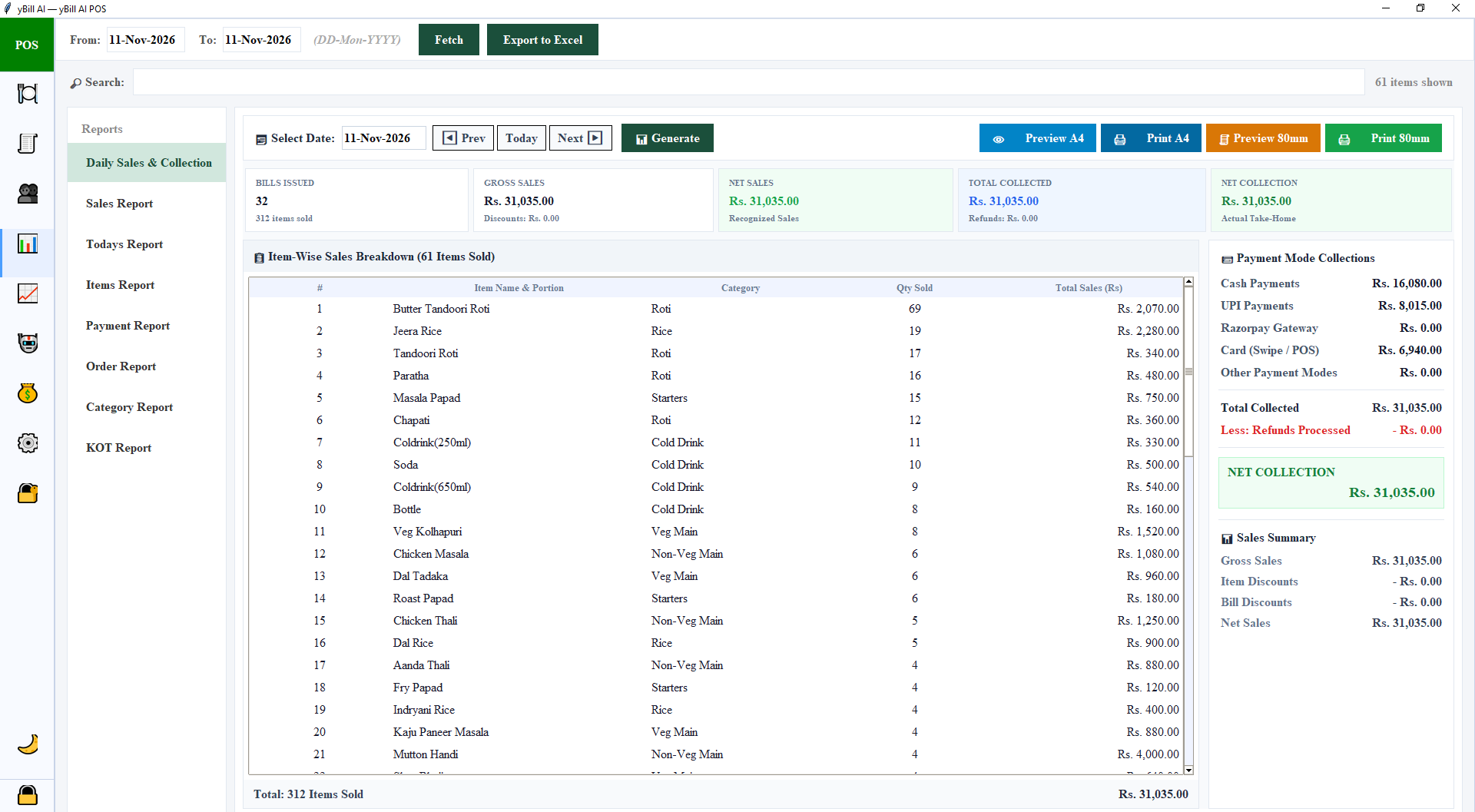
    Happy Hours & Customer Loyalty: Automate time-window discounts and reward loyal repeat diners with customizable points redemption.
Immutable Audit Trails Manager Password Protection Shrinkage Prevention
MODULE 09

Performance & 1360ร—768 Windows Display Optimization

Built to run flawlessly on standard budget restaurant hardware without requiring expensive enterprise terminal upgrades.
  • โœ“
    1360ร—768 Native Display Optimization: Meticulously engineered for popular 1360ร—768 resolution Windows counter laptops. Tables, buttons, and preview panels fit without scroll clipping.
  • โœ“
    100% Offline Autonomy: Operate with zero broadband dependency. When internet drops, billing, printing, table shifting, and kitchen orders continue seamlessly.
  • โœ“
    Sub-Millisecond SQLite WAL Engine: Write-Ahead Logging guarantees high-concurrency database reads and writes with zero file corruption or transaction deadlocks.
  • โœ“
    Zero Cloud Subscription Lock-In: Standalone self-contained Windows executable (~67 MB) with zero mandatory cloud fees or monthly terminal rental expenses.
Windows 10/11 64-bit SQLite WAL Architecture Zero External Dependencies
ENGINEERING BLUEPRINT

Built for Local Resilience. Zero Cloud Latency.

When cloud-dependent POS systems lose internet connectivity, high-volume dining establishments stall. yBill AI is built with an offline-first 3-tier architecture that guarantees non-stop service.

๐Ÿ–ฅ๏ธ
Tier 01 ยท Local Core

Native Desktop Terminal

High-speed native Python desktop kernel bound to hardware signatures. Executes sub-millisecond barcode punches, split billing, multi-tender settlements, and direct ESC/POS printer cuts completely offline.

Python Desktop Engine Direct Thermal Cuts Hardware UUID Lock
โšก
Tier 02 ยท Local Network

Embedded Flask LAN Server

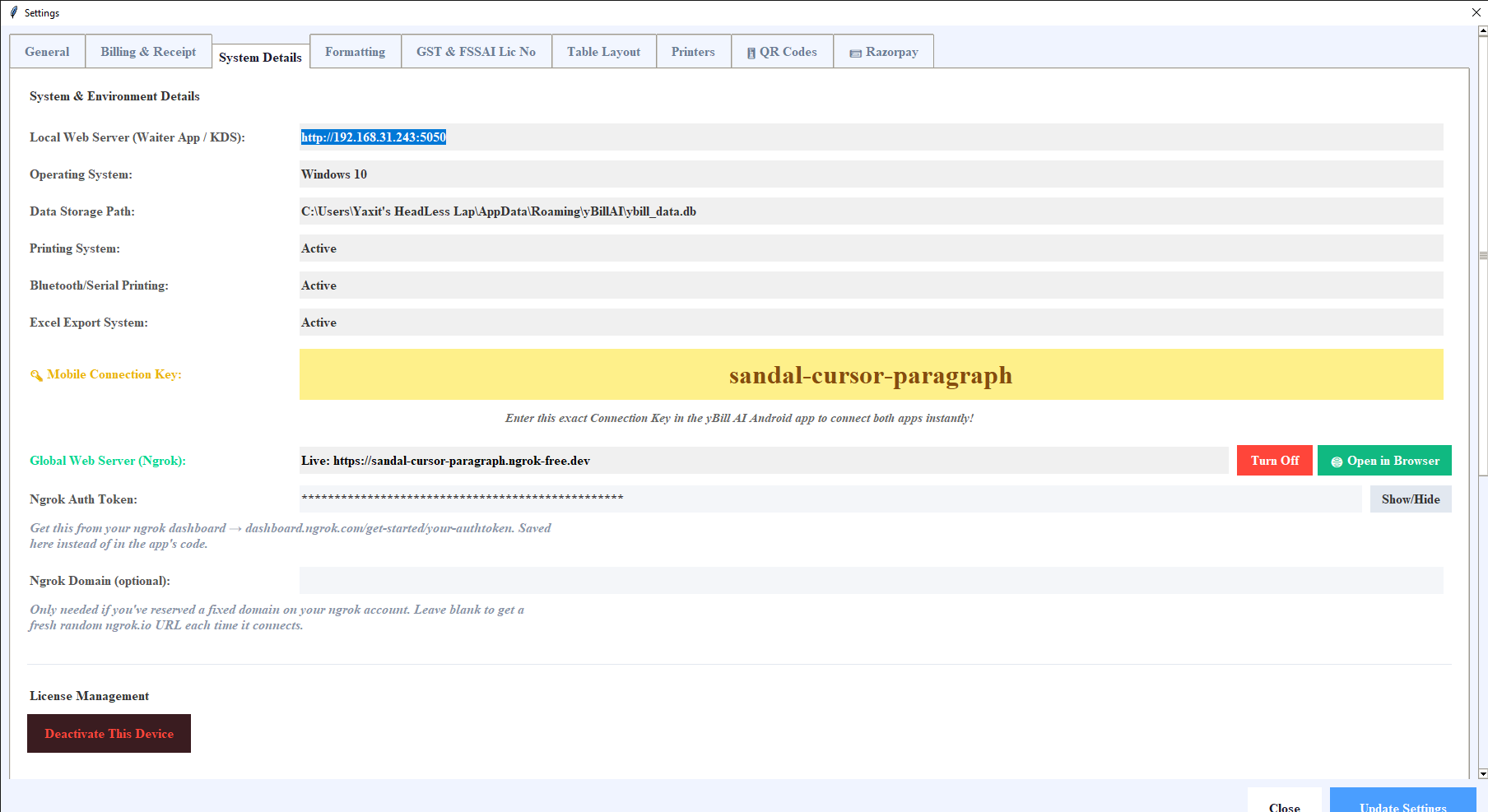
An integrated lightweight HTTP server running on the counter PC (Port 5050). Allows any phone or tablet on the restaurant WiFi to serve as an instant waiter pad or kitchen screen without cloud delay.

Zero-Cost Waiter Pads WiFi Synchronization Paperless KDS
๐Ÿ—„๏ธ
Tier 03 ยท Data Layer

SQLite WAL Database

Embedded local database operating in Write-Ahead Logging mode. Ensures zero data loss, instant transactional rollbacks, and concurrent read/write handling across simultaneous counter and waiter pads.

ACID Compliant Zero Database Admin Encrypted Backups
RAPID SETUP

Install yBill AI in Under 3 Minutes

Everything is packaged in a single standalone Windows 64-bit installer (.exe). No complicated database drivers, Python installations, or external dependencies required.

STEP 1

Download Installer

Download the official yBillAI_Setup-3.8.exe installer file (~67 MB) directly onto your main Windows cashier counter PC.

STEP 2

Run Setup Wizard

Launch the executable. The installer automatically extracts the embedded runtime, sets up the local database, and places a desktop shortcut.

STEP 3

Configure Restaurant

Launch yBill AI, enter your restaurant name, GSTIN/FSSAI info, connect your USB/Bluetooth thermal printer, and select your default payment method.

STEP 4

Start Billing Immediately

Add your menu items and start punching bills. Connect mobile waiter pads via your local WiFi IP address for immediate floor service.

Official Windows Release

Get yBill AI v3.8 for Windows (.exe)

Standalone 64-bit installer with embedded SQLite database, thermal printer drivers, and local LAN web server.

COMMON INQUIRIES

Frequently Asked Questions

Essential answers on architecture, hardware compatibility, offline functionality, and payment integrations.

Does yBill AI run completely offline without an active internet connection? +

Yes, 100% offline. The core desktop POS terminal, local database, split billing engine, thermal printer KOT dispatch, and table management operate locally on your counter computer without requiring an active internet connection. If broadband drops, your restaurant billing and kitchen workflow proceed without interruption.

How does yBill AI optimize for lower-resolution Windows displays like 1360ร—768? +

yBill AI v3.8 was specifically re-engineered to support 1360ร—768 resolution screens โ€” the most prevalent display format for budget counter laptops and compact POS monitors. All table grids, menu buttons, cashier action panels, and receipt previews scale proportionally without clipping buttons or requiring manual horizontal scrolling.

How do discount calculations work on customer receipts and billing screens? +

In yBill AI v3.8, discount transparency is paramount. The original menu item price remains clearly visible on both counter screens and printed thermal receipts, while applied flat or percentage discounts adjust the final net line amount. Customers see exactly what discount they received without confusion.

Can waitstaff take orders on their own smartphones without expensive POS hardware? +

Yes. yBill AI includes an embedded LAN web server. Any smartphone or tablet connected to your restaurant's local WiFi can open the mobile waiter pad via the counter PC's IP address. Waiters punch table orders with custom notes and dispatch them directly to kitchen stations without requiring proprietary handheld devices.

What printers are supported by yBill AI? +

yBill AI supports all standard ESC/POS USB, Ethernet, and Bluetooth thermal receipt printers (including 80mm and 58mm paper rolls). In addition, full sales reports and accounting balance sheets can be printed on standard full-page A4 laser/inkjet printers.

Who is the creator and architect of yBill AI? +

yBill AI was designed, architected, and engineered from the ground up by Yaxit Pandav (also searched as Yakshit Pandav), a student software engineer from Pune, Maharashtra, India. Read his full background on the About Yaxit biography page.

DIRECT CONSULTATION

Ready to Transform Your Restaurant Operations?

Connect directly with yBill AI creator Yaxit Pandav for custom hardware recommendations, remote installation assistance, or a live system walkthrough.

Direct Download & Deploy

Standalone Windows 64-bit installer with embedded SQLite database.

๐ŸชŸ Download yBill v3.8 (.exe) Official Windows v3.8 Setup Executable (yBillAI_Setup 3.8.exe ยท ~67 MB) Verified & Ready to Install.